
Introduction
What if a small business could get hours back every week without hiring another employee?
For many business owners, the biggest challenge is not a lack of ideas. It is the endless stream of emails, customer questions, social media posts, reports, invoices, scheduling tasks, research, and repetitive admin work. That is where AI for small business can make a practical difference.
AI is no longer something reserved for large corporations with huge technology budgets. In 2025, 58% of U.S. small businesses surveyed by the U.S. Chamber of Commerce said they were using generative AI, up from 40% in 2024.
The opportunity is simple: use AI to handle repetitive work faster, reduce unnecessary costs, and give people more time for work that actually requires judgment and creativity.
In this guide, you will learn where AI can save time and money, which tasks are worth automating first, how to avoid expensive mistakes, and how to build a practical AI workflow for a small business.
> Key Takeaway: AI does not need to replace your team to create value. The biggest opportunity is often helping your existing team complete repetitive tasks faster.
Why AI for Small Business Matters
Small businesses operate with limited resources. One person may handle marketing, customer service, administration, sales, and operations at the same time.
AI can reduce that pressure by assisting with repetitive digital tasks.
The U.S. Small Business Administration recommends that businesses start small, test AI tools, and evaluate whether they actually improve efficiency before expanding their use.
What is AI for small business?
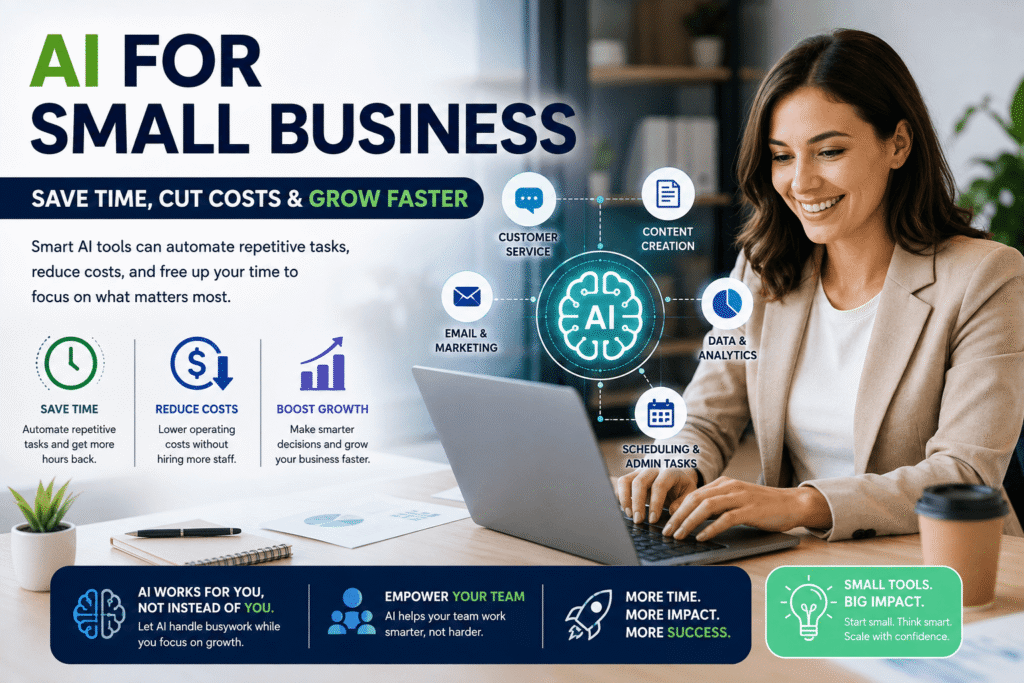
AI for small business means using artificial intelligence tools to support everyday business activities such as marketing, customer service, research, administration, data analysis, content creation, and workflow automation.
The goal is not simply to “use AI.” The goal is to solve a real business problem with less time, lower cost, or better consistency.
> Summary Box
>
> Problem: Too much repetitive work
> AI solution: Automate or accelerate routine tasks
> Human role: Review, decide, communicate, and improve
> Business result: More productive time and potentially lower operating costs
What Can AI Actually Do for a Small Business?
AI can support many parts of a business, but its value depends on how it is implemented.
Instead of asking, “Where can I add AI?” ask, “Which repetitive task is slowing my business down?”
That small change in thinking can lead to better decisions.
AI for marketing and content creation
Marketing often consumes hours every week.
AI can help businesses:
- Generate content ideas
- Create first drafts of social media posts
- Rewrite promotional copy
- Create email variations
- Summarize customer feedback
- Develop content calendars
- Brainstorm advertising concepts
- Repurpose long-form content into shorter posts
For example, a local fitness studio could turn one blog post into several social posts, an email newsletter, and short promotional messages.
The business owner still provides the expertise and final approval. AI simply speeds up the first stage.
AI for customer service
AI assistants can answer common questions, summarize conversations, classify support requests, and help staff prepare responses.
This can be particularly useful for businesses receiving repetitive questions about:
- Opening hours
- Pricing
- Delivery
- Returns
- Appointments
- Product availability
- Basic troubleshooting
The result is not necessarily fewer employees. It can mean employees spend less time answering the same question repeatedly.
AI for administration
Administrative work is another strong opportunity.
AI-powered tools can assist with:
- Meeting summaries
- Document organization
- Email drafting
- Data entry
- Report preparation
- Scheduling
- Invoice processing
- Internal documentation
These tasks may seem small individually. Together, they can consume a significant amount of working time.
How AI Saves Time
Time is one of the most valuable resources in a small business because the owner often cannot simply add another department.
1. Faster content production
Instead of starting every piece of content from a blank page, AI can create a structured first draft.
That allows a marketer or business owner to spend more time editing ideas and less time staring at an empty document.
2. Faster research
AI can summarize information, compare options, organize notes, and identify questions that deserve further research.
However, important business decisions should still be checked against reliable sources.
3. Faster communication
AI can help draft:
- Customer emails
- Follow-up messages
- Internal announcements
- Sales responses
- Appointment reminders
A human should review important customer-facing communication before it is sent.
4. Faster reporting
AI can transform large amounts of information into summaries and identify patterns that deserve attention.
For instance, an online retailer could ask an AI system to summarize recurring customer complaints from hundreds of support messages.
> Expert Tip: Start with tasks that happen frequently and follow a predictable process. A task that takes 10 minutes but occurs 100 times a month may be more valuable to automate than a complex task that happens twice a year.
How AI Reduces Business Costs
AI can reduce costs indirectly by improving productivity rather than simply cutting headcount.
Reduce wasted employee time
If employees spend less time on repetitive administrative work, they can devote more attention to sales, customer relationships, product development, and problem-solving.
The U.S. Chamber of Commerce has reported that small businesses see technology as a way to save time and resources while competing with larger companies.
Reduce outsourcing expenses
A business may use AI to handle parts of basic content development, research, documentation, or data organization internally.
That does not mean replacing every specialist. Instead, it can reduce the amount of routine work that needs to be outsourced.
Improve resource planning
AI can analyze historical information and help identify patterns in demand, inventory, or customer behavior.
For example, a small retailer could use sales data to identify products that frequently sell out and adjust purchasing decisions accordingly.
Real-World Case Study: Jackie’s Jams
A useful example comes from Jackie’s Jams, a small California business. The U.S. Chamber reported that owner Risa Baron used generative AI to help with social media advertising and messages and said it saved at least an hour each day on backend office tasks.
That example illustrates an important point.
The benefit did not come from building an enormous AI system. It came from applying AI to ordinary repetitive work.
Lesson: A small daily time saving can become a meaningful monthly productivity gain.
Human + AI: The Better Approach
The strongest small-business AI strategy is usually not “AI instead of people.”
It is people plus AI.
AI can handle speed, pattern recognition, drafting, summarization, and repetitive processing. Humans provide judgment, context, empathy, creativity, accountability, and business expertise.
Use this simple workflow
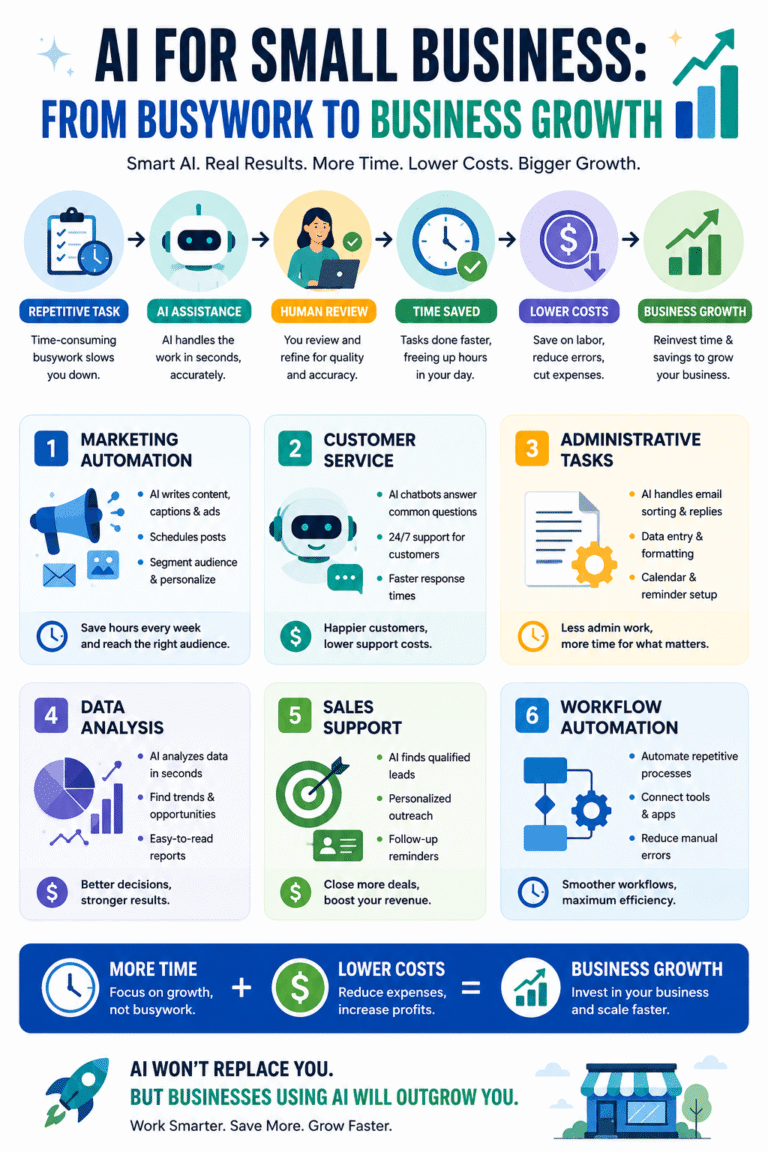
Identify → Automate → Review → Measure → Improve
1. Identify a repetitive business task.
2. Automate the parts AI can handle reliably.
3. Review the output before important information reaches customers.
4. Measure time, cost, quality, or revenue impact.
5. Improve the workflow based on real results.
This approach also makes AI adoption less intimidating.
How to Start Using AI Step by Step
Step 1: Make a task inventory
Write down everything your business does during a normal week.
Highlight tasks that are:
- Repetitive
- Time-consuming
- Digital
- Predictable
- Rules-based
Those are strong AI candidates.
Step 2: Pick one problem
Do not introduce ten AI tools simultaneously.
Choose one measurable problem, such as reducing time spent writing customer emails.
Step 3: Choose the simplest suitable tool
You may not need an expensive enterprise platform.
The SBA recommends starting small and testing AI tools to determine whether they provide real value.
Step 4: Create a human-review step
Decide who checks AI output and what they should look for.
Check:
- Accuracy
- Tone
- Missing information
- Confidential data
- Brand consistency
- Potential bias
Step 5: Measure the result
Before implementing AI, record your baseline.
For example:
Before AI: 8 hours per week
After AI: 4.5 hours per week
Time recovered: 3.5 hours per week
Now you have something meaningful to evaluate.
> Key Takeaway: If you cannot explain what AI is saving—time, money, effort, or errors—it may not be solving the right problem.
Common AI Mistakes Small Businesses Should Avoid
Buying too many AI tools
More tools do not automatically mean more productivity.
A complicated technology stack can create additional costs and training requirements.
Automating before understanding the process
If the original workflow is inefficient, automation may simply make a bad process happen faster.
Fix the process first.
Trusting AI output blindly
AI can produce incorrect or outdated information.
Important outputs should be verified.
Uploading sensitive information
Do not casually paste confidential customer, employee, financial, or proprietary information into an AI system.
Businesses should evaluate vendor security and data handling practices. The FTC recommends protecting business data, controlling access, using strong authentication, and evaluating third-party security.
Measuring activity instead of results
Generating 100 AI-written posts is not a business achievement.
Saving five hours while maintaining quality may be.
Small Business AI Checklist
Before adopting an AI workflow, ask:
- Does this solve a real business problem?
- Is the task repetitive enough to justify automation?
- Can we measure the time or cost saved?
- Does the tool protect sensitive information?
- Is human review required?
- Does the output meet our quality standards?
- Have we tested the workflow on a small scale?
- Can employees understand how to use it?
- Are we tracking actual business results?
- Should we continue, improve, or stop the experiment?
Turn AI Into a Practical Business Advantage
AI does not have to transform your entire business overnight.
Start with one frustrating, repetitive task. Measure how long it takes today. Test an AI-assisted workflow. Review the results. Then decide whether it is worth expanding.
If you want to build a smarter workflow, explore more practical AI guides on My AI Study Zone and identify the tools and strategies that fit your business.
> Ready to save time with AI? Start with one task this week. The best AI strategy is not the one with the most tools—it is the one that produces a measurable business result.
Frequently Asked Questions
What is the best use of AI for a small business?
The best use depends on the business, but repetitive tasks are usually the strongest starting point. Marketing drafts, customer-service assistance, research, meeting summaries, administration, and data organization can often be accelerated without changing the entire business.
Can AI really save small businesses money?
Yes. AI can potentially reduce costs by decreasing time spent on repetitive work, improving employee productivity, supporting internal content creation, and helping businesses analyze information more efficiently. The actual savings depend on the workflow, tool cost, implementation, and quality of human oversight.
Is AI expensive for small businesses?
AI costs vary widely. Some tools offer free or low-cost plans, while advanced business platforms can cost significantly more. The SBA recommends starting small and testing whether a tool provides measurable value before making a larger investment.
Can AI replace employees in a small business?
AI can automate certain tasks, but that does not mean it should replace employees. A better approach is often to use AI to remove repetitive work so employees can focus on customer relationships, creativity, judgment, and higher-value responsibilities.
What should small businesses avoid when using AI?
Businesses should avoid blindly trusting AI-generated information, uploading sensitive data without understanding the tool’s policies, buying unnecessary software, and automating poorly designed processes. Security, privacy, accuracy, and human review should remain part of the workflow.
Conclusion
The biggest opportunity with AI for small business is not chasing every new AI trend.
It is finding the repetitive work that quietly consumes valuable hours and using technology to make that work faster.
AI can support marketing, customer service, administration, research, reporting, sales, and operations. It can help a small team work more efficiently without requiring the business to build a massive technology department.
However, successful AI adoption starts with a business problem—not a shiny tool.
Choose one task. Test one workflow. Keep a human in the loop. Measure the result.
Then improve what works.
For small businesses, those small productivity gains can add up. A few hours recovered each week can create more time for customers, strategy, innovation, and growth.
> Final Takeaway: The future of AI for small business is not about doing everything with AI. It is about using AI strategically so people can spend more time doing the things that matter most.
Pingback: How to Automate Your Business with AI -