
Introduction
What if your next employee could write emails, analyze spreadsheets, create social posts, summarize meetings, answer customers, and automate repetitive tasks—all without adding another salary?
That is the promise behind today’s AI tools for small business.
Small business owners often face the same problem: there is never enough time. Marketing needs attention. Customers need replies. Invoices need chasing. Social media needs fresh content. Meanwhile, administrative work keeps piling up.
The good news is that AI has moved beyond simple chatbots. In 2026, businesses can use AI for content, customer service, sales, accounting, automation, research, project management, video, design, and data analysis. U.S. Census data shows that business AI usage remained around 17%–20% during late 2025 through early May 2026, while adoption was considerably higher among larger firms.
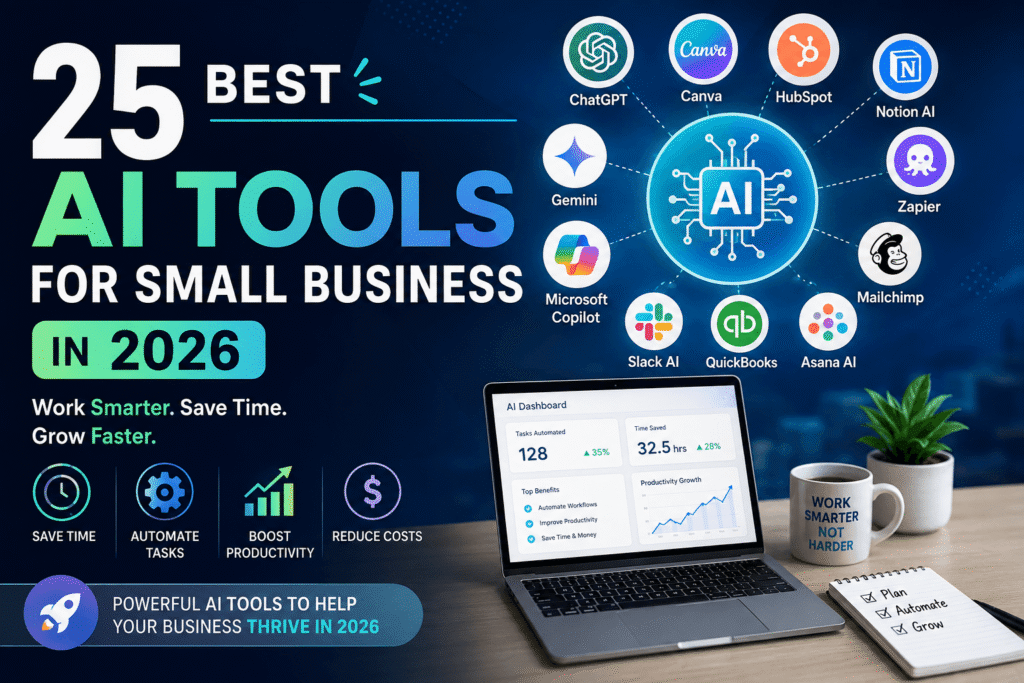
This guide covers 25 AI tools for small business, explains what each one does best, and shows how to choose a practical AI stack without wasting money on dozens of subscriptions.
Key Takeaway:
You do not need 25 AI subscriptions. You need the few tools that solve your biggest business bottlenecks.
Table of Contents
- Why AI Tools Matter for Small Businesses
- 25 Best AI Tools for Small Business in 2026
- Quick Comparison Table
- How to Choose the Right AI Tools
- Benefits of AI for Small Businesses
- Common Mistakes to Avoid
- Practical AI Adoption Checklist
- Custom Infographic Ideas
- Internal and External Link Placement
- Frequently Asked Questions
- CTA
- Conclusion
Why AI Tools Matter for Small Businesses
What can AI do for a small business?
AI can help small businesses automate repetitive work, create content, analyze information, communicate with customers, organize projects, and improve productivity. The biggest opportunity is not replacing people; it is giving small teams more capacity to focus on customers, strategy, and revenue.
In 2026, the trend is shifting from isolated AI experiments toward connected workflows. Research and industry coverage increasingly emphasize using AI to redesign processes rather than simply adding another chatbot to the business.
Google, for example, positions Gemini inside Workspace as a way for small businesses to automate inbox work, analyze spreadsheets, summarize meetings, and create business content within familiar applications.
25 Best AI Tools for Small Business in 2026
1. ChatGPT — Best All-Purpose AI Assistant
ChatGPT Business is useful for brainstorming, writing, research, analysis, customer-service drafts, planning, and coding.
For teams, ChatGPT Business provides a shared workspace, administration controls, company context, and integrations.
Best for: Almost every small business.
2. Claude — Best for Long Documents and Workflows
Claude is particularly useful for analyzing lengthy documents, drafting professional content, and handling complex business tasks.
Anthropic launched Claude for Small Business in 2026 with connectors for tools including QuickBooks, PayPal, HubSpot, Canva, Google Workspace, and Microsoft 365.
Best for: Research, documents, operations, and knowledge work.
3. Google Gemini — Best for Google Workspace Users
Google Gemini works particularly well for businesses already using Gmail, Docs, Sheets, Meet, Drive, and other Workspace products.
Best for: Email, documents, spreadsheets, meetings, and productivity.
4. Microsoft 365 Copilot — Best for Microsoft-Based Teams
Microsoft 365 Copilot brings AI into familiar Microsoft applications.
Best for: Word, Excel, Outlook, Teams, and PowerPoint workflows.
5. Perplexity — Best for AI-Powered Research
Perplexity is useful when you need fast research with cited web sources.
Best for: Market research, competitor research, product research, and fact-finding.
6. Canva Magic Studio — Best for Marketing Design
Canva helps businesses create social posts, presentations, advertisements, thumbnails, and branded graphics.
Best for: Small marketing teams without dedicated designers.
7. Adobe Firefly — Best for Creative Assets
Adobe Firefly can assist with generating and editing creative visual assets.
Best for: Marketing images, campaigns, product concepts, and creative teams.
8. Jasper — Best for Marketing Content
Jasper focuses on marketing workflows, brand voice, campaigns, and content creation.
Best for: Marketing agencies, e-commerce brands, and content teams.
9. Grammarly — Best for Business Writing
Grammarly helps improve grammar, clarity, tone, and professional communication.
Best for: Emails, proposals, reports, and customer communication.
10. HubSpot — Best for AI-Powered CRM
HubSpot combines CRM, marketing, sales, customer service, and AI capabilities.
Best for: Businesses that want customer information and marketing workflows in one ecosystem.
11. Zoho Zia — Best for Small Business Operations
Zoho adds AI capabilities across Zoho’s business applications.
Best for: CRM, sales, support, analytics, and business administration.
12. Zapier — Best for AI Automation
Zapier connects business applications and automates repetitive workflows.
For example, a new website form submission could trigger an AI-generated lead summary, add the prospect to a CRM, and notify the sales team.
Best for: Connecting multiple business tools.
13. Make — Best for Visual Automation
Make provides visual automation workflows that can connect applications and AI services.
Best for: More advanced no-code automation.
14. Notion AI — Best for Knowledge Management
Notion can help organize documents, meeting notes, project information, and internal knowledge.
Best for: Remote teams and businesses managing lots of information.
15. ClickUp AI — Best for Project Management
ClickUp combines project management with AI-assisted writing, task creation, summaries, and planning.
Best for: Teams managing multiple projects.
16. Asana AI — Best for Team Planning
Asana helps teams summarize work, identify priorities, and manage projects more efficiently.
Best for: Marketing, operations, and distributed teams.
17. Slack AI — Best for Team Communication
Slack can summarize conversations and help teams find information faster.
Best for: Businesses where important decisions are buried inside long conversations.
18. Otter.ai — Best for Meeting Notes
Otter.ai transcribes meetings and helps turn conversations into searchable notes and action items.
Best for: Sales calls, interviews, team meetings, and consultations.
19. Fireflies.ai — Best for Meeting Automation
Fireflies.ai records, transcribes, summarizes, and organizes meeting information.
Best for: Sales and customer-facing teams.
20. Descript — Best for AI Video Editing
Descript makes video and podcast editing more accessible by combining transcription with editing tools.
Best for: YouTube, podcasts, training videos, and marketing content.
21. CapCut — Best for Social Video
CapCut offers AI-assisted video editing features for short-form content.
Best for: TikTok, Instagram Reels, YouTube Shorts, and social advertising.
22. QuickBooks — Best for AI-Assisted Accounting
QuickBooks helps small businesses manage accounting, expenses, invoices, and financial information, with AI features increasingly integrated into the platform.
Best for: Freelancers, retailers, agencies, and service businesses.
23. Xero — Best for Cloud Accounting
Xero provides cloud-based accounting with automation and AI-supported workflows.
Best for: Small businesses that want accessible online accounting.
24. Mailchimp — Best for AI Email Marketing
Mailchimp combines email marketing with automation, audience management, analytics, and AI-assisted content features.
Best for: Newsletters, e-commerce, and lead nurturing.
25. Salesforce Agentforce — Best for Growing Customer Operations
Salesforce Agentforce provides AI-agent capabilities for customer service, sales, and business workflows.
Best for: Growing businesses with more complex CRM requirements.
Summary Box:
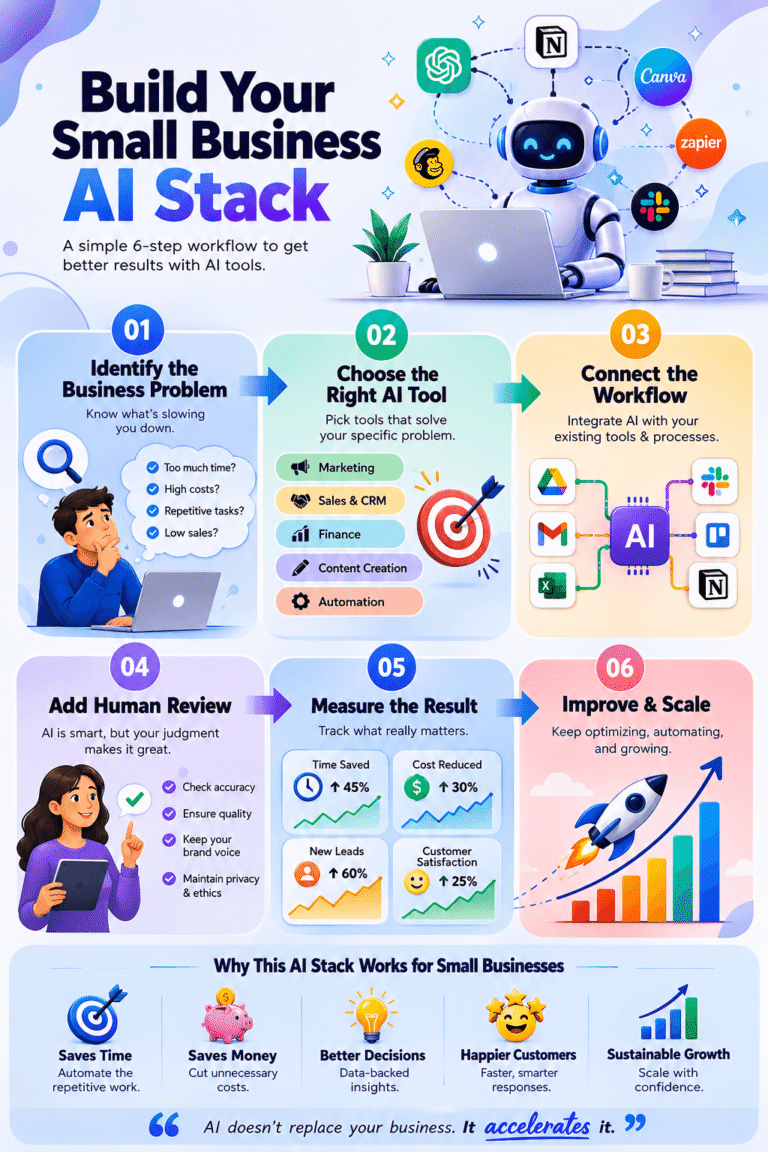
Start with one general AI assistant, one workflow tool, and one business-specific platform. Add more only when you have a measurable reason.
How to Choose the Right AI Tools
1. Start with the problem, not the technology
Write down your five most repetitive tasks.
Maybe your team spends hours answering similar emails. Maybe invoices are followed up manually. Perhaps creating social content consumes an entire afternoon.
Start there.
2. Measure the potential return
Ask:
- How many hours can this tool save?
- Will it reduce errors?
- Can it increase leads or sales?
- Does it integrate with existing software?
- Can employees learn it quickly?
3. Test before committing
Use free trials or lower-cost plans where available. Run one real workflow rather than testing AI with hypothetical tasks.
4. Protect business information
Do not paste sensitive customer, financial, employee, or confidential information into an AI system without understanding its privacy and security controls.
For example, OpenAI states that ChatGPT Business does not train on workspace data by default, while Google describes privacy and access controls for Gemini in Workspace.
Benefits of AI for Small Businesses
Save time
AI can handle repetitive drafting, summarization, research, transcription, and administrative work.
Reduce operational costs
Automation can reduce the amount of manual work required for routine processes.
Improve customer response times
AI-assisted customer service can help teams draft faster and handle repetitive questions.
Create better marketing
Small teams can produce more consistent designs, emails, videos, and content without hiring specialists for every task.
Make better decisions
AI can help identify patterns in spreadsheets, customer feedback, sales data, and operational information.
> Expert Tip: Do not measure AI success by the number of tools your company uses. Measure it by hours saved, revenue influenced, errors reduced, or customer experience improved.
Real-World AI Case Studies
Case Study: Claude and the Small-Business Ecosystem
Anthropic’s 2026 Claude for Small Business initiative demonstrates where AI adoption is heading: AI connected directly to the software businesses already use. Anthropic describes workflows involving QuickBooks, PayPal, HubSpot, Canva, Google Workspace, and Microsoft 365, with human approval before actions are sent, posted, or paid.
This is an important lesson. The future of AI for small businesses is not simply asking questions in a chatbot. It is connecting AI to real workflows.
Case Study: Google Workspace
Google highlights AI use cases for small businesses including email assistance, meeting summaries, spreadsheet analysis, content creation, and workflow automation.
The practical lesson is simple: AI becomes more useful when it works inside the tools employees already understand.
Common AI Mistakes Small Businesses Should Avoid
Using too many tools
Twenty-five tools does not mean twenty-five subscriptions.
Automating everything immediately
Keep humans involved in customer-facing, financial, legal, and sensitive decisions.
Trusting AI without verification
AI can produce incorrect information. Always review important outputs.
Ignoring employees
Your team needs clear instructions about which AI tools are approved and what information can be shared.
Choosing features over outcomes
A flashy AI feature is not automatically valuable.
> Key Takeaway: The best AI tool is the one that solves a recurring problem reliably and saves more value than it costs.
Frequently Asked Questions
What are the best AI tools for small business?
The best options include ChatGPT, Claude, Gemini, Microsoft 365 Copilot, Canva, HubSpot, Zapier, QuickBooks, Mailchimp, and Notion AI. The right choice depends on your business workflow and goals.
How can a small business use AI?
A small business can use AI for marketing, customer support, research, accounting assistance, content creation, meeting summaries, data analysis, project management, and workflow automation.
Are AI tools expensive for small businesses?
Not necessarily. Many tools offer free or lower-cost plans. Start with one or two tools that solve measurable problems instead of purchasing a large collection of subscriptions.
Can AI replace employees in a small business?
AI is better viewed as a productivity tool than a complete replacement for employees. Human judgment remains especially important for customer relationships, strategy, sensitive information, and important business decisions.
How many AI tools should a small business use?
There is no ideal number. For many small businesses, a focused stack of three to five complementary tools can be more useful than dozens of disconnected applications.
Conclusion
The best AI tools for small business in 2026 are not necessarily the tools with the longest feature lists. They are the tools that fit naturally into your existing workflow and produce measurable results.
ChatGPT and Claude can support knowledge work. Gemini and Copilot can improve productivity. Canva and Adobe Firefly can accelerate creative work. HubSpot can strengthen customer management. Zapier and Make can connect workflows. QuickBooks and Xero can simplify financial administration.
However, you do not need all 25.
Choose one problem. Select one tool. Build one workflow. Measure the result.
Then scale what works.
That approach can turn AI from another subscription expense into a practical business advantage.